A fake Cloudflare popup, two chained vulnerabilities and 6,369 files: anatomy of a Magento compromise
by Claudiu Hulea · IT Management Consultant
What investigating a real attack looks like, step by step — and why the security upgrade everyone assumes is enough doesn’t actually close the door.
It all started with an attentive employee.
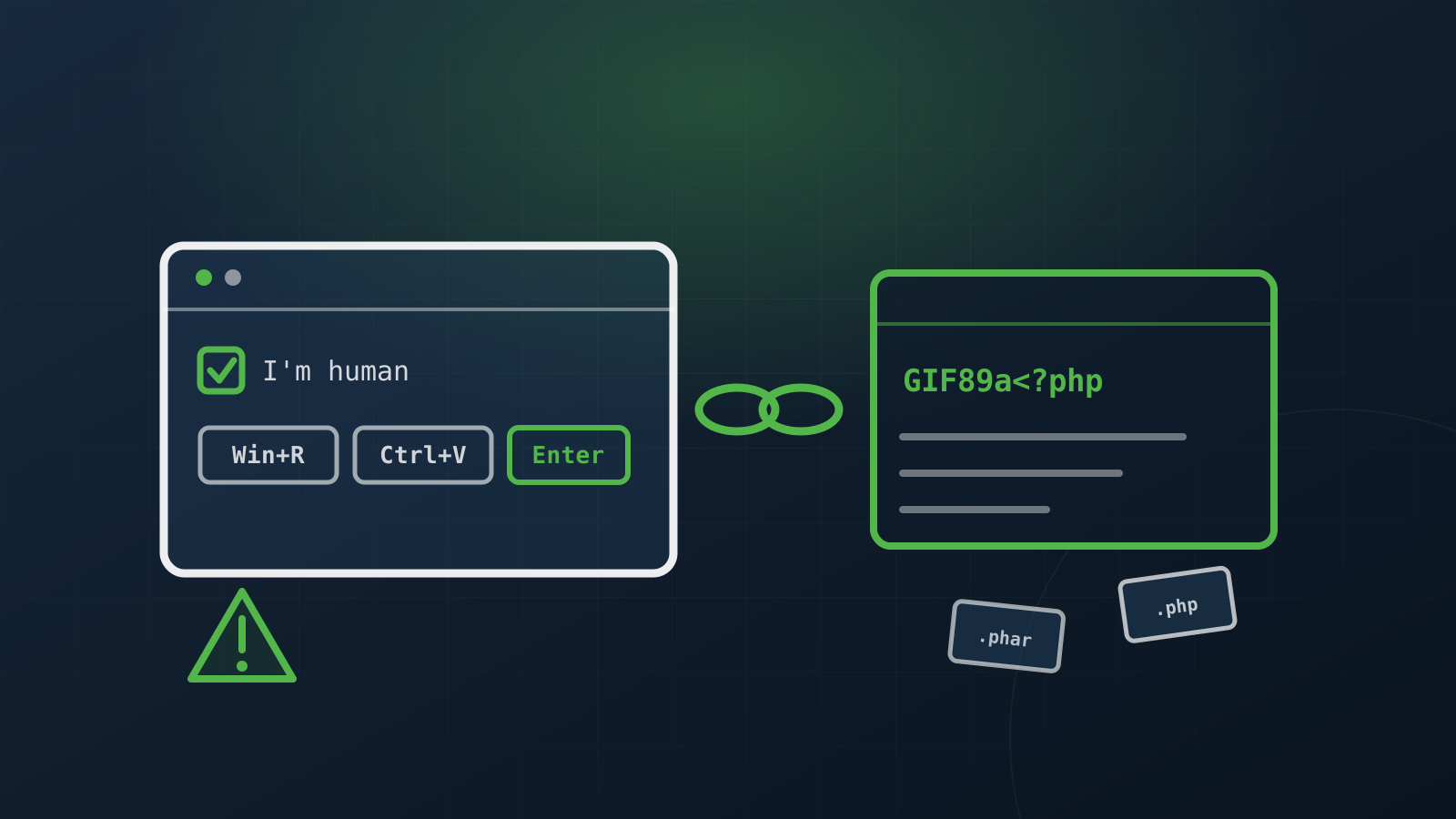
One morning, someone on a client’s team — a store built on Magento 2.4.5 — noticed something odd on the homepage: a popup that perfectly mimicked a Cloudflare verification. “Let us know you’re human,” it said. And three simple steps: press Win + R, then Ctrl + V, then Enter.
To an untrained eye, it looks like an ordinary anti-bot check. In reality, it’s one of the most effective social-engineering techniques of the past year, called ClickFix: a script quietly copies a command into the victim’s clipboard, then convinces them to paste it into the Windows Run dialog and execute it. The result — an infostealer running directly on the employee’s workstation, outside any antivirus that would have been watching the browser.
The popup was only the tip of the iceberg. What we found underneath was a full compromise, active for nine months, with two critical vulnerabilities chained together and 6,369 malicious files scattered through the installation.
Here’s what a real investigation looks like.
First look: the skimmer in the database
The ClickFix popup was delivered by a third-party script, loaded from an external domain through a code fragment injected into the database — specifically into a CMS block displayed on every page of the store.
The detail that trips up many automated scans: the domain never appeared in the clear. It was base64-encoded, hidden inside an atob() call. A simple SELECT ... WHERE content LIKE '%domain%' returns zero results even on an infected site. You have to search for atob, not for the domain.
We removed the script, flushed the cache (including Varnish — otherwise the skimmer keeps being served from cache for hours) and stopped visitors from being exposed further. But that was just the symptom. The real question: how did it get there?
Vulnerability #1: PolyShell — the upload that shouldn’t exist
On disk, in pub/media/custom_options/quote/, we found over a thousand .php files. PHP files have no business there — it’s an upload directory for products’ custom options.
The files were polyglots: they started with the GIF89a header (so they pass any validation that checks “is this an image?”), immediately followed by <?php. A complete backdoor: cookie-password authentication, command execution via eval(base64_decode()), arbitrary file upload.
The vector, later confirmed by Sansec’s “PolyShell” research: Magento’s unauthenticated guest-cart REST API:
POST /rest/V1/guest-carts/{cartId}/items
By adding a product with a file-type option, the attacker uploads the polyglot. Magento writes it to disk during validation, before it gets a chance to reject anything. No type check, no extension restriction.
The unsettling part: on the investigated site no product had file-type options configured, and yet the files still landed on disk. The vector is reachable via REST regardless of the store’s configuration.
Vulnerability #2: CosmicSting — how it reached the database
PolyShell explains the webshells on disk. But how was the skimmer injected into the database? This is where many reports stop at “the attacker injected into the CMS” without saying how.
Log analysis gave the answer. The skimmer was written with a single request:
PUT /rest/V1/cmsBlock/1
…with a valid admin token. But over the same period, 2,490 attempts to obtain a token by password all failed with 401. The attacker didn’t need a password — they forged the token.
How? Through CVE-2024-34102, known as CosmicSting (CVSS 9.8): an XXE vulnerability that allows reading the app/etc/env.php file. From it, the attacker extracted crypt/key — the Magento encryption key. And with that key, they can sign as many admin JWT tokens as they want.
Two vulnerabilities, chained: CosmicSting opens the door (file read → key theft → token forgery), PolyShell provides persistence on disk.
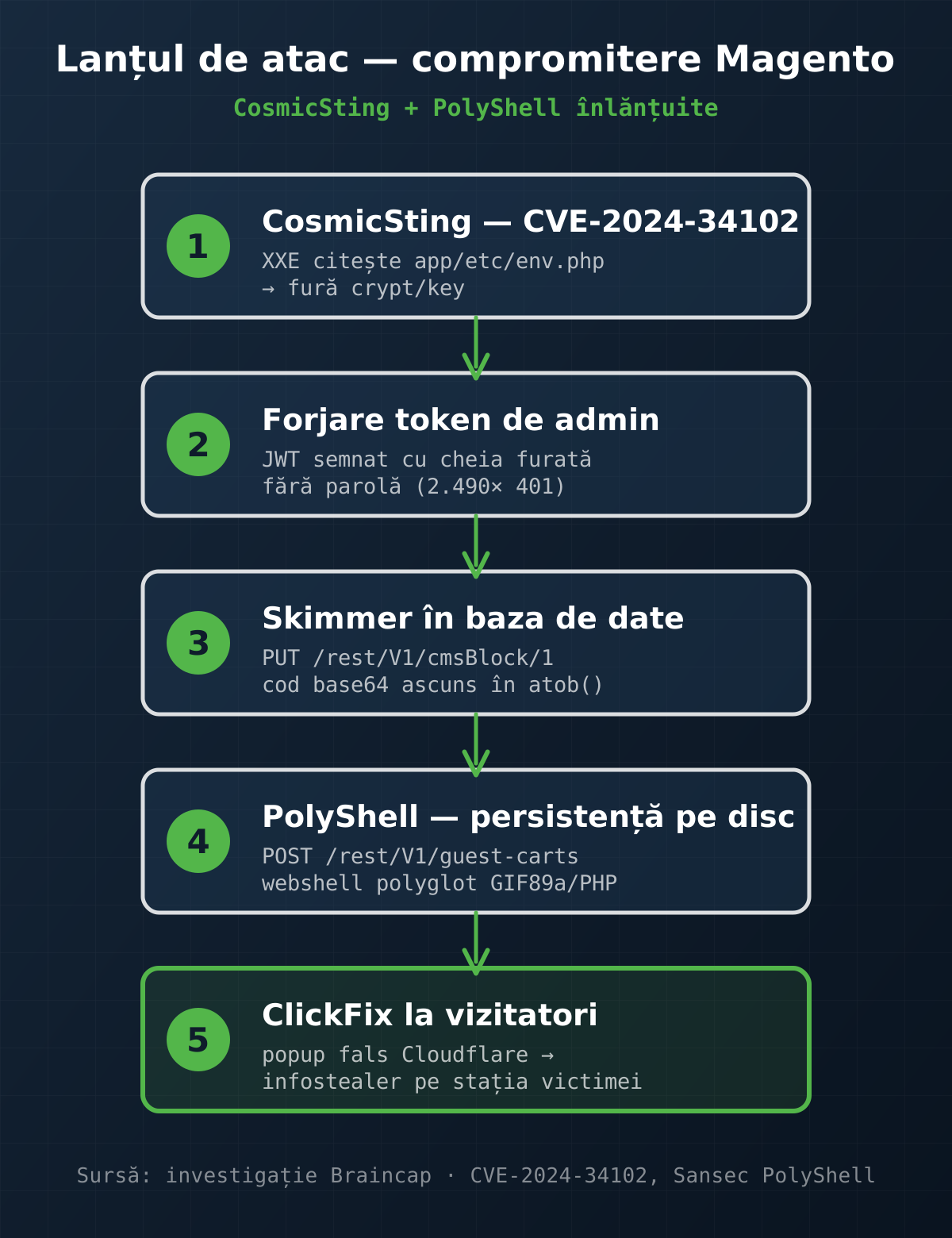
The moments that make the difference
A good investigation isn’t a list of commands. It’s a series of questions you refuse to answer reflexively. A few that mattered here:
Execution failed — and why that matters. The thousand-plus webshells were on disk, but none of them executed: the nginx config blocked PHP from running in the media directory. We confirmed it empirically — all 669 direct accesses got the same 1692-byte response (the fallback page), not webshell output. That conclusion changes everything: the attacker had control over the application’s content, but not over the operating system. The server didn’t need reinstalling.
The case-sensitive search that almost missed 140 files. The first cleanup used find -name '*.php'. On Linux, that’s case-sensitive — and it missed 140 files with extensions .PHP, .Php, .php7..gif, .inc. We only caught them by redoing the scan by content (grep '<?php'), not by extension. Lesson: when cleaning up, don’t trust extensions.
The admin restriction that restricted nothing. We added an nginx rule limiting access to the admin panel to the internal network. Tested from outside — the panel still responded 200. The cause: the proxy chain (Cloudflare → WAF → Varnish → nginx) made nginx see the source as 127.0.0.1 (Varnish, on loopback), which is “internal,” so the rule let all traffic through. Without real_ip_recursive configured correctly on all hops, any IP restriction is illusory. It’s the kind of mistake that looks good in the config and protects nothing.
Why rotating the key isn’t enough. We rotated crypt/key — the obvious step once you know it was stolen. But Magento validates admin JWT tokens against all keys in crypt/key, not just the current one. We checked the code: prepareAllAccepted(). As long as the compromised key stays in the file, tokens forged with it remain valid. The old key must be removed, not just replaced with a new one. (Carefully, so as not to break data already encrypted with it — re-encrypt first.)
The big lesson: the patch everyone assumes is enough
After cleanup, we did what anyone would: upgrade Magento to the latest security patch on that line (2.4.5-p14). That closed CosmicSting — natively, verified.
But it did not close PolyShell.
Because, as Sansec documents, the upload vulnerability affects all Magento versions up to 2.4.8, with a fix only in 2.4.9 (still in pre-release at the time of writing), with no backport to the production lines.
That’s the trap. A conscientious operator upgrades to the latest patch, sees they’re “up to date,” and assumes they’re protected. But the vector that 80% of unprotected Magento stores were breached through in this campaign remains open in core, no matter how patched you are.
The solution, until 2.4.9, is at the infrastructure and defensive-code level:
- nginx — block execution of executable files in
pub/media(not just.php— also.php8,.phtm,.phar) and full access tocustom_options. - application-level plugin — reject dangerous extensions right at the upload layer (
Magento\Framework\File\Uploader), which by default accepts any extension when no whitelist is set. - WAF — block the vulnerable endpoints.
None of them is a patch. All of them together stand in for the patch.
What every Magento operator should check
If you run a Magento store, here’s the minimum checklist drawn from this incident:
- Executable files in
pub/media— search by content, not extension:grep -rl '<?php' pub/media/. Any result = compromise. - Patch level —
bin/magento --version. If it has no-pNsuffix, you’re vulnerable to CosmicSting and others. - 2FA on admin — mandatory in Magento 2.4, but often disabled “for convenience.”
- CSP — by default it’s on report-only (blocks nothing). It must be switched to enforced.
- Admin IP restriction — and verify it actually works through the proxy chain, not just that it’s in the config.
- Persistence backdoors — look for
accesson.phpand similar files scattered invar/,vendor/. - If it was compromised — rotate
crypt/key(and remove the old key), passwords, tokens.
Conclusion
The attacker behind this campaign wasn’t sophisticated. The tools were off-the-shelf crimeware, the infrastructure was offshore hosting, and the activity pattern — 24/7, no breaks, for months — clearly showed automation, not targeting. This store was simply one of thousands scanned en masse.
And that’s exactly the point. You don’t have to be a high-value target to be compromised. You just have to run an unprotected version of a popular platform, at a moment when a public exploit hits 80% of vulnerable stores within weeks.
The defense wasn’t a single heroic measure. It was layer upon layer — execution blocked, upload blocked, key rotated, WAF, headers, 2FA — each covering what the others leave exposed. And the first line of defense was, in fact, an attentive human who noticed a popup that wasn’t right.
Braincap provides incident response, security audit and cybersecurity services for e-commerce infrastructure. If you suspect a compromise or want a security assessment of your store, contact us at office@braincap.ro or via the contact page.
Sources
- Sansec — Magento PolyShell research
- CVE-2024-34102 (CosmicSting), CVSS 9.8 — XXE vulnerability in Magento / Adobe Commerce.
Frequently asked questions
What was this Magento compromise, in brief?
A full compromise of a Magento 2.4.5 store, active for nine months: a fake ClickFix popup shown to visitors, a skimmer injected into the database, and 6,369 malicious files on disk. Underneath, two chained vulnerabilities: CosmicSting (CVE-2024-34102) and PolyShell.
What are CosmicSting and PolyShell?
CosmicSting (CVE-2024-34102, CVSS 9.8) is an XXE vulnerability that allows reading env.php and stealing the encryption key, with which the attacker forges admin tokens. PolyShell is an upload vulnerability via the guest-cart REST API that drops polyglot webshells on disk. CosmicSting opens the door, PolyShell provides persistence.
Why isn't the security upgrade enough?
Because the patch (e.g. 2.4.5-p14) closes CosmicSting but NOT PolyShell: the upload vulnerability affects all versions up to 2.4.8, with a fix only in 2.4.9. An "up to date" operator stays exposed through this vector. Until 2.4.9, the defence is at the infrastructure level: blocking execution in pub/media, rejecting dangerous extensions at upload, and a WAF.
What should a Magento operator check?
Executable files in pub/media (search by content, `grep -rl "<?php" pub/media/`), patch level (`bin/magento --version`), 2FA on admin, CSP set to enforced (not report-only), an admin IP restriction that actually works through the proxy chain, persistence backdoors, and — if compromised — rotating and removing the old crypt/key.