Anatomy of a compromised dependency chain: what a supply-chain audit turns up
by Claudiu Hulea · IT Management Consultant
During a software supply-chain audit we identified a compromised dependency chain: popular packages that, through a typosquat trick, pulled in malicious libraries with names almost identical to the legitimate ones. The most interesting part wasn’t the attack itself, but the trap in the remediation: the automated “fix” recommended by the tooling led right back into the infected versions. Here’s the anatomy and what to do.
What is a software supply-chain attack?
It’s the attack where you aren’t the direct target — the code you depend on is. Modern applications assemble hundreds of open-source packages, and each one pulls in others (transitive dependencies). A single compromised package anywhere in that tree is enough for the payload to reach your development machines and build pipeline — without anyone touching “your” application.
What did the audit turn up?
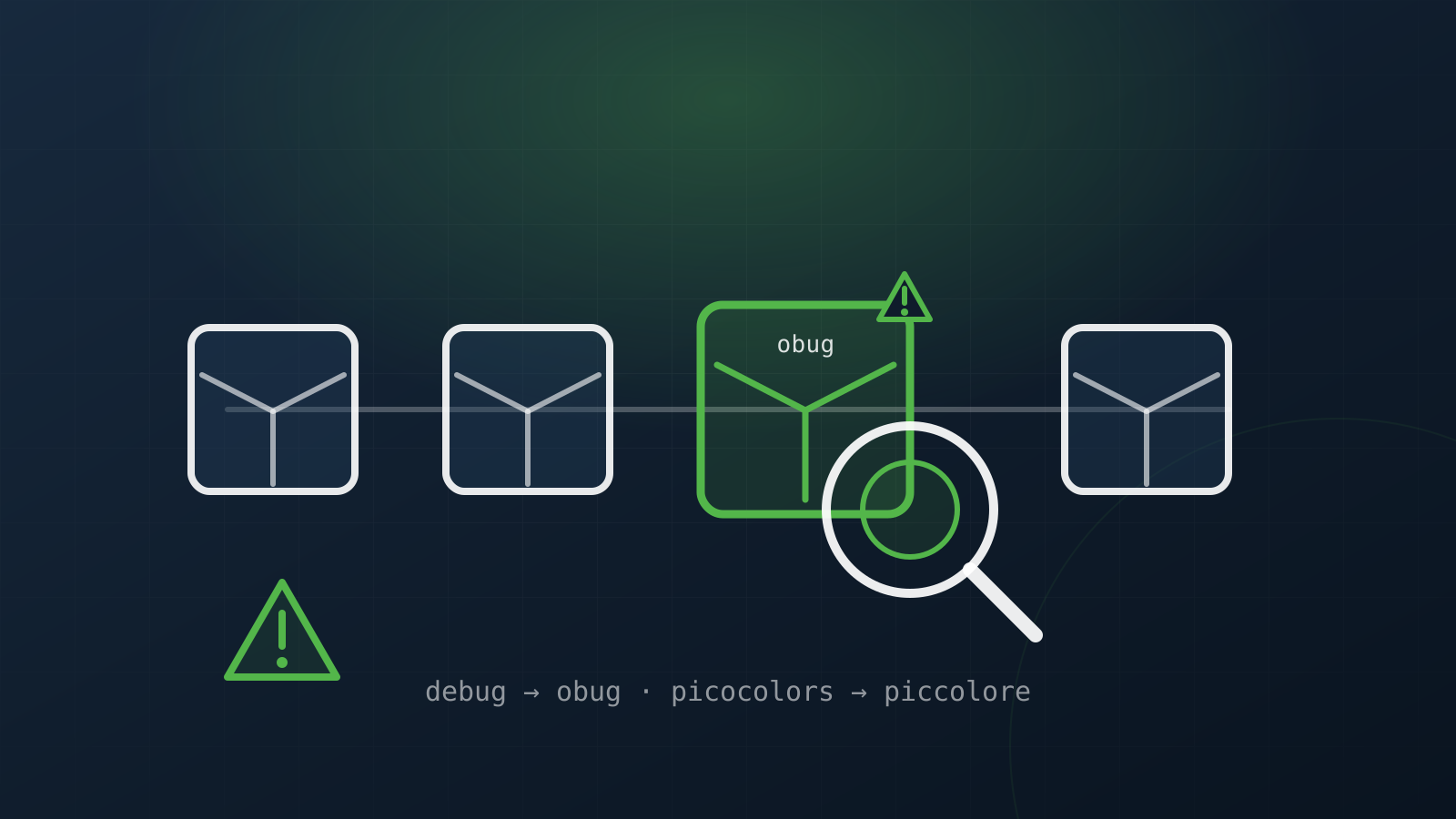
A very widely used npm package had been altered to depend on two typosquat libraries — names almost identical to well-known utilities:
obuginstead ofdebugpiccoloreinstead ofpicocolors
The substitution was quiet: on install, the dependency tree pulled them in automatically, and their code executed on every build. The case is documented publicly in a security advisory (see Sources). It’s not a theory — it’s the classic dependency-chain dropper pattern.
Why is a dependency typosquat dangerous?
- It runs at build time, on developer workstations and CI runners — a layer that endpoint antivirus and EDR rarely monitor.
- Caret ranges (
^) in manifests mean a new, malicious version can be pulled automatically on the next install, with no action from you. - It’s transitive: you didn’t ask for the bad package — a dependency of a dependency did — so it isn’t on your “direct” list and is easy to miss.
The trap: when the automated “fix” sends you back into the problem
This was the instructive part. Running the package manager’s automated security audit, the suggested “fix” (fix --force) pointed to newer versions that still contained the typosquats — a fix that actually reintroduced the problem.
Worse, the attacker hadn’t only changed the dependency list, but also the package’s source code, so it used the malicious library’s API. The consequence: you can’t trick the build with a simple redirect (override) to the real library — it breaks. The only clean path is pinning to the last genuinely-clean upstream versions, verified by hand.
That is the full vulnerability chain: substituted dependency → code executed at build under the radar → automated remediation that entrenches the problem → modified source that blocks the shortcuts.
How do you defend?
- Treat the lockfile as code. Pin exact versions and review any change to the dependency tree in the PR, not just your own code.
- Don’t run
audit fix --forceblindly. Check what version it proposes and whether it’s genuinely clean (npm view <package> dependencies) before accepting it. - Software bill of materials (SBOM). You need to know which packages — including transitive ones — enter the build.
- Verify provenance (signatures/OIDC) and watch for unusual version jumps or dependencies with “almost right” names.
- Isolate CI. Runners that build execute third-party code; limit their access and rotate the credentials reachable from the build environment regularly.
- Prefer fewer dependencies and remove unmaintained components — every extra package is another link that can fail.
The takeaway
The software supply chain is the real attack surface of modern applications, and automated scans — however useful — don’t see everything, and sometimes send you back into the problem. A dedicated security audit examines the dependency tree, the lockfile and the pipeline with a critical eye, while a penetration test confirms what is genuinely exploitable. The difference between “I ran a scan” and “I understood the chain” is exactly the difference between fixing it and believing you fixed it.
Sources
Frequently asked questions
What is a dependency typosquat attack?
An attack in which a popular package is altered to pull in malicious libraries with names almost identical to the legitimate ones (e.g. `obug` instead of `debug`, `piccolore` instead of `picocolors`). On install, the dependency tree pulls them in automatically, and their code runs on every build — on developer workstations and CI runners.
Why is a dependency typosquat dangerous?
It runs at build time, a layer that antivirus and EDR rarely monitor; it is transitive (you didn't ask for the bad package, a dependency of a dependency did), so it escapes your "direct" list; and caret ranges (`^`) can automatically pull a new malicious version on the next install.
Why doesn't the automated "fix" solve it?
Because, in the documented case, `audit fix --force` proposed newer versions that still contained the typosquats — it reintroduced the problem. The attacker had also changed the package's source code, so a simple override to the real library breaks the build. The only clean path is pinning to the last genuinely-clean upstream versions, verified by hand.
How do I defend?
Treat the lockfile as code (pin exact versions, review dependency-tree changes in the PR), don't run `audit fix --force` blindly, keep an SBOM, verify provenance (signatures/OIDC), isolate CI and rotate build-reachable credentials, and prefer fewer dependencies.