Chrome is preparing to block new-tab hijacker extensions by default
by Claudiu Hulea · IT Management Consultant
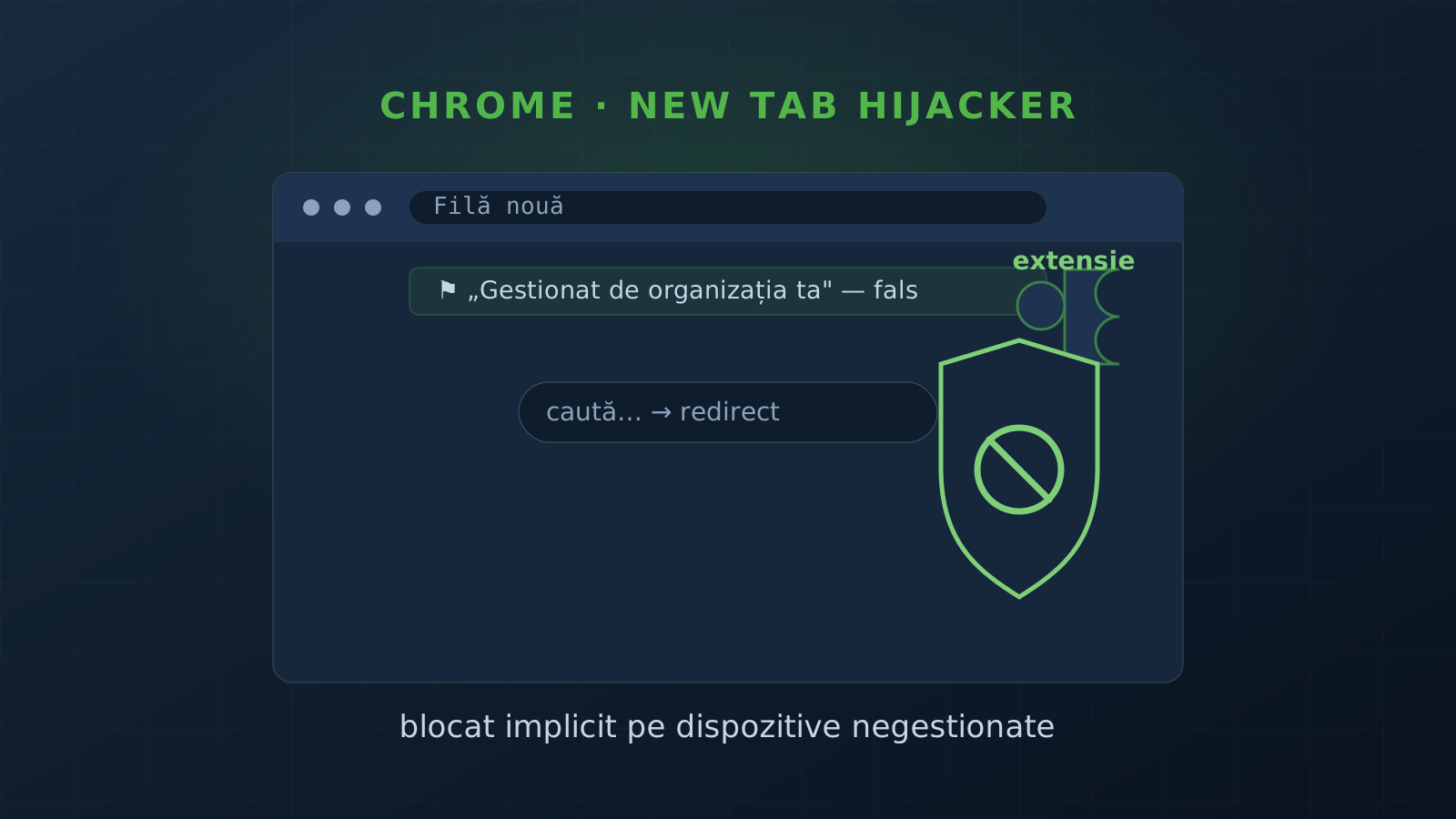
Google is preparing a protection that blocks, by default, extensions that hijack the New Tab page or change the default search engine when they are pushed through policy on unmanaged consumer devices. It is a direct answer to an old trick: malware abuses Chrome’s enterprise policy system to force-install parasitic extensions on ordinary PCs. Below: how the attack works and what to take away.
In brief
- The target: new-tab hijackers — extensions that replace the New Tab page or change the default search, to redirect, inject ads, or track.
- The vector: malware adds local policy keys, without permission, and force-installs the extension as if an organization required it.
- The visible side effect: Chrome falsely shows “Managed by your organization” on a device that is managed by no one.
- The change: Google enables the
kBlockDseNtpOverrideExtensionsOnUnmanagedDevicesflag by default (Windows and macOS). - Status: work-in-progress in Chromium Gerrit (spotted by BleepingComputer); not shipped yet, enabled once approved.
How the attack works
Chrome has a legitimate enterprise policy system: an organization can configure its employees’ browsers, including force-installing certain extensions (ExtensionInstallForcelist) or setting the New Tab page and default search engine.
Malware hijacks exactly this mechanism. On a consumer PC it writes the policy keys locally — with no organization behind them — and force-installs an extension that overrides the New Tab page / search. The user ends up with injected ads, redirects and tracking, and the extension is hard to remove because it appears “managed by policy.” Chrome also shows the “Managed by your organization” label, which alarms and confuses ordinary users.
What Google is changing
Per the Chromium Gerrit changes, Google will enable by default the kBlockDseNtpOverrideExtensionsOnUnmanagedDevices flag on Windows and macOS. On unmanaged devices, the protection:
- Blocks installation of policy-installed extensions that override the New Tab page or the search engine;
- Cancels the install and records the extension ID in a blocked preference so the download is not retried on future policy checks;
- Leaves user-installed extensions untouched (it does not block them — control stays with you);
- Automatically uninstalls affected extensions if a managed device loses its trusted management status.
Legitimate enterprise admins keep an escape-hatch policy for genuinely required extensions — so real fleets are not affected.
What to take away
- “Managed by your organization” on a personal device is a red flag. If your PC is not enrolled in any organization and you see this, someone wrote a local policy key — investigate.
- Browser extensions are an attack surface. They run with privileges in your pages; a parasitic extension sees and changes what you do in the browser.
- Abusing legitimate mechanisms is the pattern. Attackers don’t break enterprise policy — they turn it against you. The defense is not “turn policies off,” but control of and visibility into them.
Our recommendations
If you manage a fleet of workstations or want to reduce browser-hijacking risk:
- Control extensions through legitimate policy. Centrally applied extension allowlist/blocklist (
ExtensionInstallAllowlist/Blocklist) — do not leave installation open. Part of the security audit and endpoint hardening. - Monitor policies and the management label. Alert when unexpected policy keys appear, or “Managed by your organization” shows on devices that are not enrolled — a classic sign of compromise. Monitoring and periodic review catch the change when it happens.
- Test the real surface. A security test checks what an attacker can inject into the browser and how exposed your endpoint configuration is.
Want a clear picture of how exposed your workstations and browsers are? Get in touch and we start with an audit.
Frequently asked questions
What is a "new tab hijacker"?
An extension that replaces the browser's New Tab page or changes the default search engine — usually to redirect you to suspicious sites, inject advertising, or track your searches without consent.
How do they get on my machine if I did not install them?
Malware abuses Chrome's enterprise policy system: it locally adds policy keys, without permission, to force-install the extension on a regular consumer PC. Chrome then incorrectly shows "Managed by your organization" — even though the device is managed by no organization at all.
What is Google changing?
Per Chromium Gerrit code changes spotted by BleepingComputer, Google is preparing to enable the kBlockDseNtpOverrideExtensionsOnUnmanagedDevices flag by default (on Windows and macOS). On unmanaged devices, Chrome will block installation of policy-installed extensions that override the New Tab page or search, cancel the install, and record the extension ID in a blocked preference so the download is not retried.
What is the lesson for companies?
"Managed by your organization" on a device that is not enrolled anywhere is a red flag — someone wrote a local policy key. Browser extensions are an attack surface; on real fleets, control extensions through legitimate policy (allowlist/blocklist) and monitor for unexpected policies appearing.