How to protect your family photos: a simple guide, in one afternoon
by Claudiu Hulea · IT Management Consultant
Family photos are among the few digital things that truly cannot be replaced. A document can be rewritten, an app can be reinstalled, but grandparents’ wedding or a child’s first steps cannot be photographed again. And yet, in most families, the photos live in a single place: a phone, an old laptop, a cloud account whose password has been forgotten.
The good news is that protecting them takes neither technical knowledge nor much money. It takes one afternoon and a routine.
Where photos usually get lost
Rarely for a spectacular reason. The most common scenarios are mundane:
- the drive fails. Laptops and hard drives have a limited life and do not always warn you before they give out;
- the phone is lost or stolen, and the photos were not copied anywhere;
- one wrong click. An email that looks like it comes from the bank, a courier or a well-known service leads to ransomware, which encrypts the files and asks for money;
- you lose access to the account. A forgotten password, a hacked account, a phone number changed without updating recovery;
- an accidental deletion, which spreads to every synced device.
In every case, the real problem is the same: there was only one copy.
Syncing is not a backup
Many people feel reassured because “the photos on my phone go to the cloud automatically”. It is a good start, but it is not a backup. Syncing makes every place look the same, including when something goes wrong: a photo deleted on the phone disappears from the cloud too, and files encrypted by ransomware can sync over the good ones.
Many services keep deleted files for a while, in a trash folder, but not forever. Besides syncing, you need a copy that does not change by itself.
The 3-2-1 rule, for everyone
Specialists use a simple rule that works just as well at home:
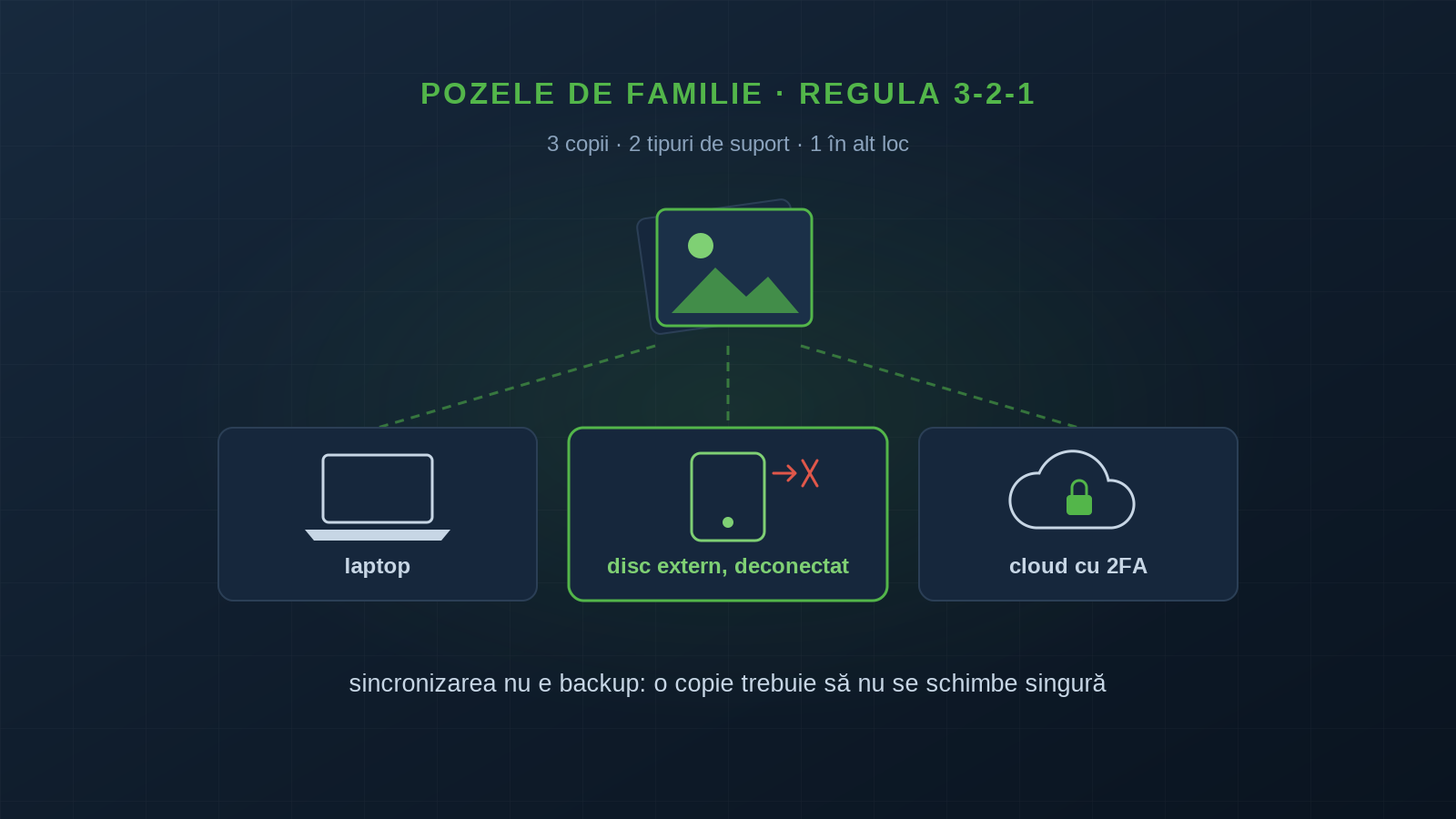
- 3 copies of the photos;
- on 2 different types of storage (for example, the laptop and an external drive);
- 1 copy in another place (for example, in the cloud, or a drive kept by someone else in the family).
In practice, for a family: the photos on the laptop, a copy on an external drive you disconnect after copying, and a copy in a protected cloud account. If the laptop breaks, you have the drive. If the drive is stolen, you have the cloud. If you lose the account, you have the drive.
Step by step, in one afternoon
- Gather the photos in one place. From phones, old laptops, USB sticks, CDs. Put them in folders by year, so you can find them easily later.
- Copy everything to an external drive, then disconnect it. This is the most important step. What is not connected to the computer cannot be encrypted by ransomware and does not disappear along with files deleted from the laptop.
- Put a copy in the cloud, with a trustworthy service, a strong and unique password and two-step verification turned on.
- Check the copy. Open a few photos from the drive and from the cloud. A copy you have not checked is only a hope.
- Scan the paper photos, if you have old albums. They degrade too, and a flood or a fire destroys them for good.
- Make it a routine. A few times a year, for example at Easter and Christmas, add the new photos to the drive and check again.
The cloud account is a key, protect it
The cloud copy is only as safe as access to the account. A few things make the difference:
- turn on two-step verification. Even if someone learns your password, they cannot get in with it alone. We explained in detail how two-step verification works;
- use a unique password, one you do not use for any other account. A password manager helps you not have to remember them all;
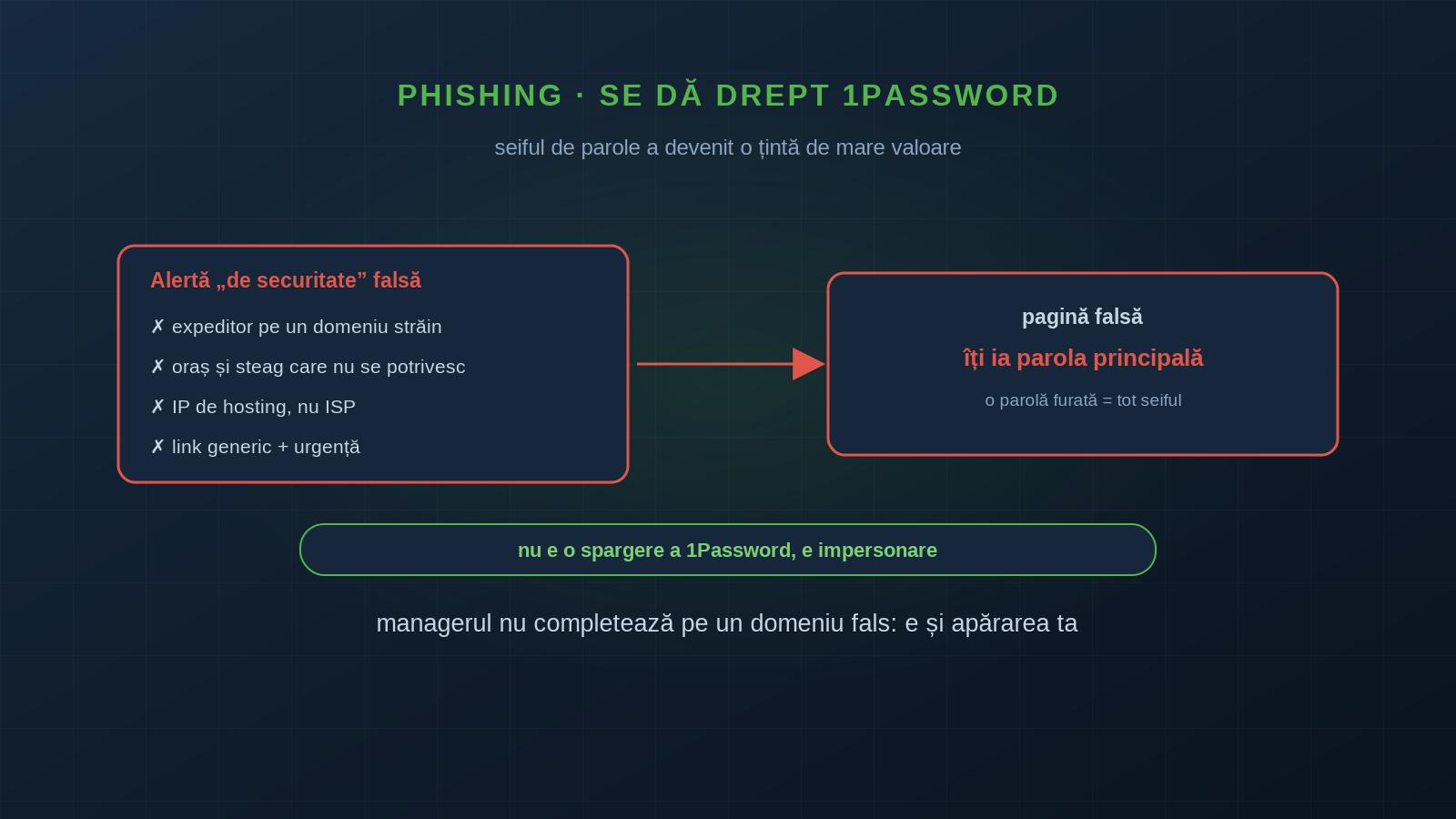
- watch out for emails that look like they come from your service. Attackers imitate precisely the services where people keep important data, with fake security alerts. We analysed such a case in the article on phishing that impersonates 1Password. If you get an alert, open the app directly, not the link in the email;
- update your recovery details: the backup phone number and email address, so you do not get locked out.
What not to do
- do not keep the photos only on the phone. It is the easiest device to lose;
- do not leave the external drive permanently connected. Then it is no longer a separate copy, just one more place they can be lost from;
- do not pay the ransom if ransomware encrypts your files. Even companies that pay have no guarantee they get back everything they lost;
- do not rely on a single account. If you lose it, you lose everything that was only there.
Think about who comes after you, too
It is a delicate subject, but an important one. If only you know where the photos are and how to get into the account, they can be lost when you can no longer reach them. Tell a trusted person where the drive is and how to get to the cloud copy. Some services even have an option to name a person who can access the account in certain situations.
What we take away
Family photos are rarely lost because of a spectacular attack and often because there was a single copy. Three copies, two types of storage, one in another place, an account protected with two-step verification and a check a few times a year. It takes one afternoon and keeps what cannot be made again.
If you have parents or grandparents with their memories on a single device, the best thing you can do is go to them and make the copy together.
Do you run a company and want the same discipline for its data: checked copies, protected accounts, a plan for when something goes wrong? Contact us.
Frequently asked questions
Is it not enough that the photos on my phone sync to the cloud?
No. Syncing copies mistakes too: if you delete a photo on the phone, it disappears from the cloud, and files encrypted by ransomware can sync as well. Many services keep deleted files for a while, in a trash folder, but not forever. You also need a copy that does not change automatically.
What is the 3-2-1 rule?
Three copies of the photos, on two different types of storage, with one kept in another place. For example: on the laptop, on an external drive you disconnect after copying, and in a cloud account protected with two-step verification.
If ransomware encrypts my photos, is it worth paying?
It is not a solution. Even companies that pay have no guarantee they get back everything they lost. The only reliable protection is a copy made beforehand and kept disconnected.
How often should I make the copy?
A few times a year is a realistic pace for a family, for example around the holidays. What matters is checking each time that you can actually open a few photos from the copy.