Phishing that impersonates 1Password: the password vault has become a target
by Claudiu Hulea · IT Management Consultant
A phishing email impersonating 1Password landed, these past days, in an inbox we watch: a fake security alert, “new browser detected”, urging you to review your “recent activity” through a link. It looks convincing at first glance, and that is exactly the problem. It is not an isolated case, but part of a real wave.
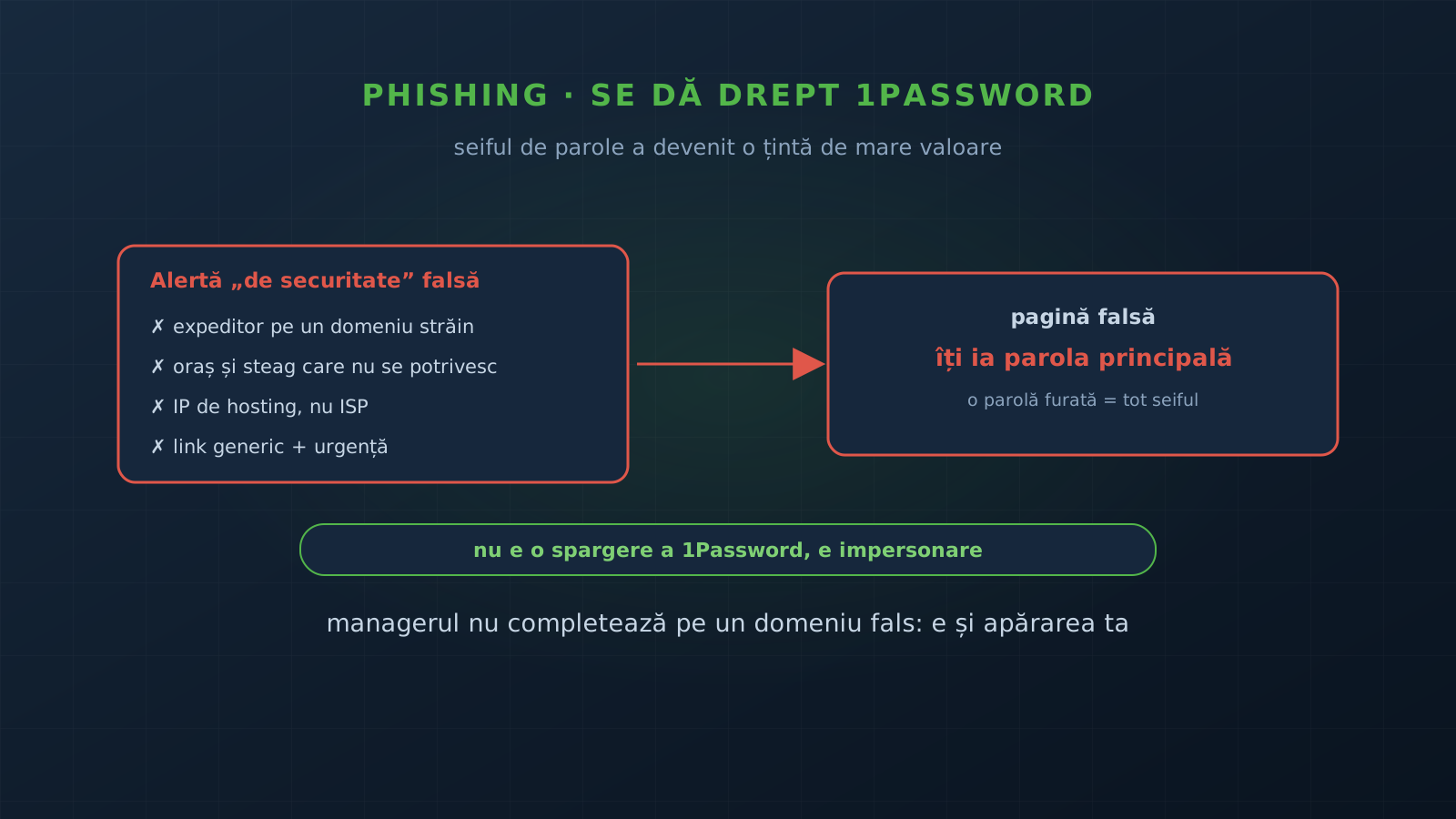
One thing to say clearly up front, so we do not feed the panic: this is not a 1Password breach. It is impersonation. The emails are not sent by 1Password and do not come from a compromise of their systems. 1Password itself publicly confirmed a phishing wave against its users and stated it is not the result of a breach, and researchers have documented a phishing kit dedicated to this target.
Why the password manager became a target
There is an irony worth understanding. A password manager reduces risk, because it removes weak and reused passwords. But by its very nature, it concentrates everything in one place. A single stolen master password does not open one account, it opens the whole vault: accounts, keys, secrets, everything.
For an attacker, that changes the arithmetic. They no longer need to phish ten services; it is enough to phish the manager once. That is why we are no longer talking about generic emails, but about phishing kits built specifically for this target, which know how to ask for the second factor too, not just the password.
What it looks like, concretely
The sample received has all the classic signs, if you look past the logo:
- the sender domain does not belong to 1Password. The display name was “1Password”, but the real address was on an unrelated domain, very likely a compromised email account of another company, used as a launch pad;
- geographic inconsistencies: a city and country shown (“New York, United States”) that did not match the flag next to them (Germany). When the details do not line up with each other, that is a sign;
- a hosting IP, not a residential ISP: the IP address shown belonged to a cloud provider, typical of infrastructure spun up quickly and abandoned;
- a generic link and urgency: the prompt to visit “this page” to review activity, wrapped in a security alert that rushes you to click before you think;
- recycled legitimate branding: the logo, the real footer address and the look are copied from genuine emails, so everything seems credible.
The final trap is always the same: a page that asks for your master password. Once entered there, the attacker has it.
The lures change, the goal does not
The “new browser detected” variant is not the only one. The wave confirmed by 1Password used a different pretext, “update your payment method”, with a fake payment page. Researchers also saw “security check” pages. The pretext changes from one campaign to the next, but the objective is identical: to get you onto a fake page and take your master password.
Do not rely on recognizing a specific text. Rely on the reflex of not clicking links in “alert” emails and opening the app directly.
How to protect your vault
The defense is not a single trick, but a few layers:
- Phishing-resistant MFA on the manager account. An OTP code can be requested on the fake page too, in real time. A passkey or a hardware security key cannot be relayed as easily. Put the strongest second factor on the very account that holds everything.
- Use autofill as a detector. A password manager ties each credential to the correct domain. On a fake page, it simply does not fill. If you expect it to fill your password and it does not, that is a signal, not an error. It is one of the best reasons to use a manager, detailed in our article on 1Password.
- Never enter your master password on a page reached from an email. If you get an alert, open the app or type the known address yourself. Legitimate or not, verification is done on the account, not on the link.
- Check the sender and report. The display name means nothing; what matters is the real domain. A “security” email from a foreign domain is reported and deleted.
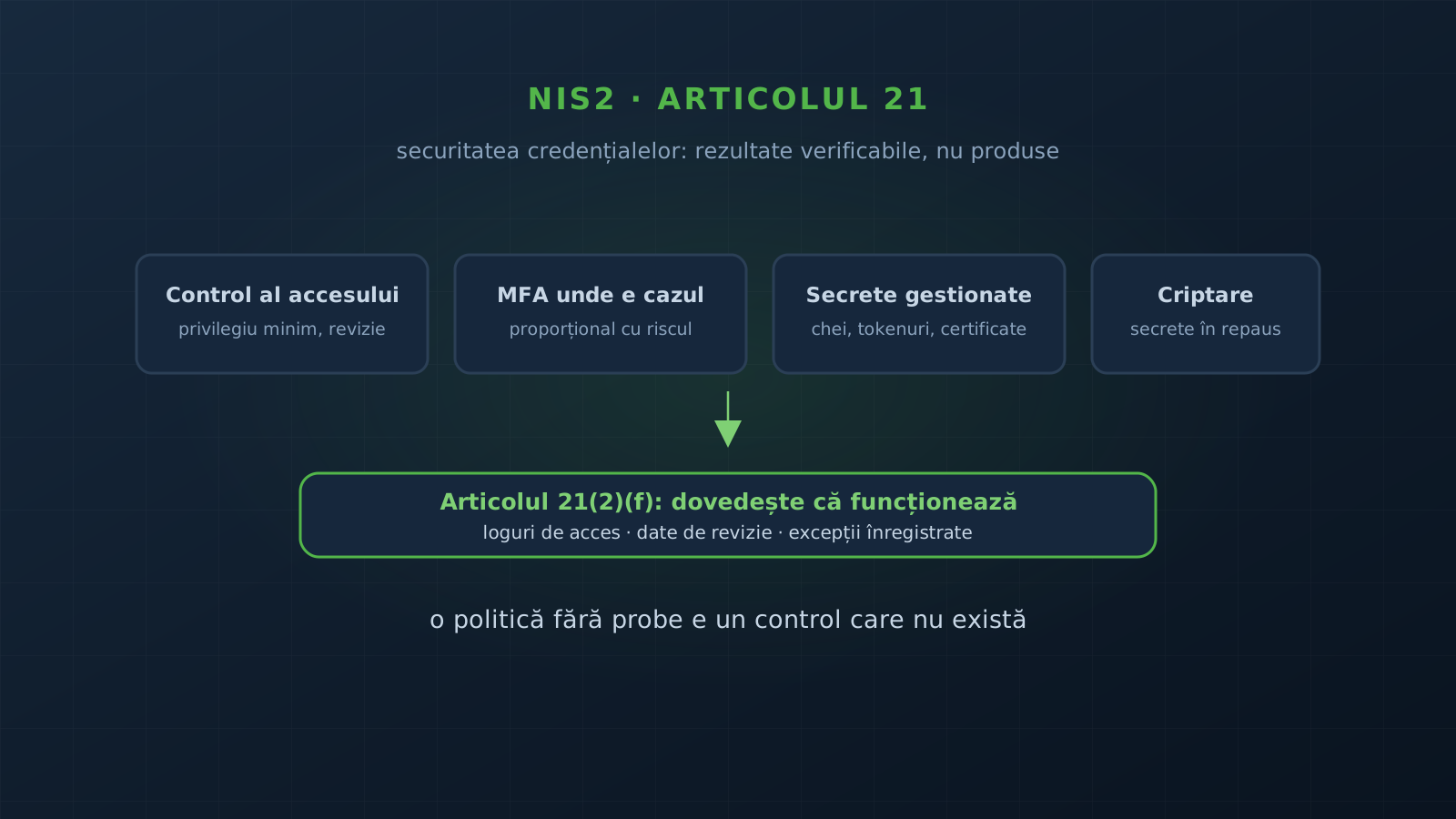
For an organization, these things are not optional. Password-manager accounts, especially admin ones, are exactly the kind of privileged access NIS2 requires you to protect with strong authentication, part of credential security.
What we take away
The fact that attackers phish password managers is not a reason to abandon them. It is a reason to protect their account like the most important one you have, because it is. The manager remains one of the best defenses against phishing, through its very refusal to fill on a fake domain. You just have to not bypass it yourself, by manually entering the password where it refused.
Want a check of how privileged accounts and credentials are protected in your organization, plus an awareness program that actually sticks? Contact us and we start from an assessment.
Sources
Frequently asked questions
Was 1Password breached?
No. This is impersonation, not a breach. The emails are not sent by 1Password and do not come from a compromise of their systems. 1Password publicly confirmed a phishing wave against its users and stated it is not the result of a breach.
How do I recognize such an email?
By the sender domain, which does not belong to 1Password; by inconsistencies (a city or country that does not match the flag shown, a hosting IP instead of an ISP); by generic links ("this page") and the tone of urgency. Do not click. Open the app directly, not from the email.
How do I protect my vault?
Enable phishing-resistant MFA (a passkey or a security key) on the password-manager account, not just an OTP code. Use autofill as a detector: the manager will not fill on a fake domain. And never enter your master password on a page reached through a link in an email.
Why would anyone target the password manager itself?
Because it is the most concentrated prize. A single stolen master password opens the whole vault: accounts, keys, secrets. For an attacker, compromising the manager is worth as much as every account combined, which is why dedicated phishing kits already exist for this target.