Exchange OWA zero-day: a Russian backdoor that survives a password reset
by Claudiu Hulea · IT Management Consultant
A Russian espionage group is exploiting an XSS zero-day in Outlook Web Access (OWA) — CVE-2026-42897 — via a simple “half-click”: the victim only has to open a malicious email. The attack installs the OWAReaper backdoor, and the nastiest part is the persistence: it grants itself server-side mailbox permissions that are not revoked by changing the password or reinstalling the system. Below: how it works and what to check.
In brief
- The actor: a Russian group tracked as Laundry Bear (aka TA488 / Void Blizzard), state-sponsored.
- The vulnerability: CVE-2026-42897, an XSS flaw in Microsoft Exchange Outlook Web Access — the cause is improper HTML sanitization of the message body.
- Trigger: “half-click” — the victim just opens the email, with no further click.
- Backdoor: OWAReaper, which runs inside the OWA reading pane.
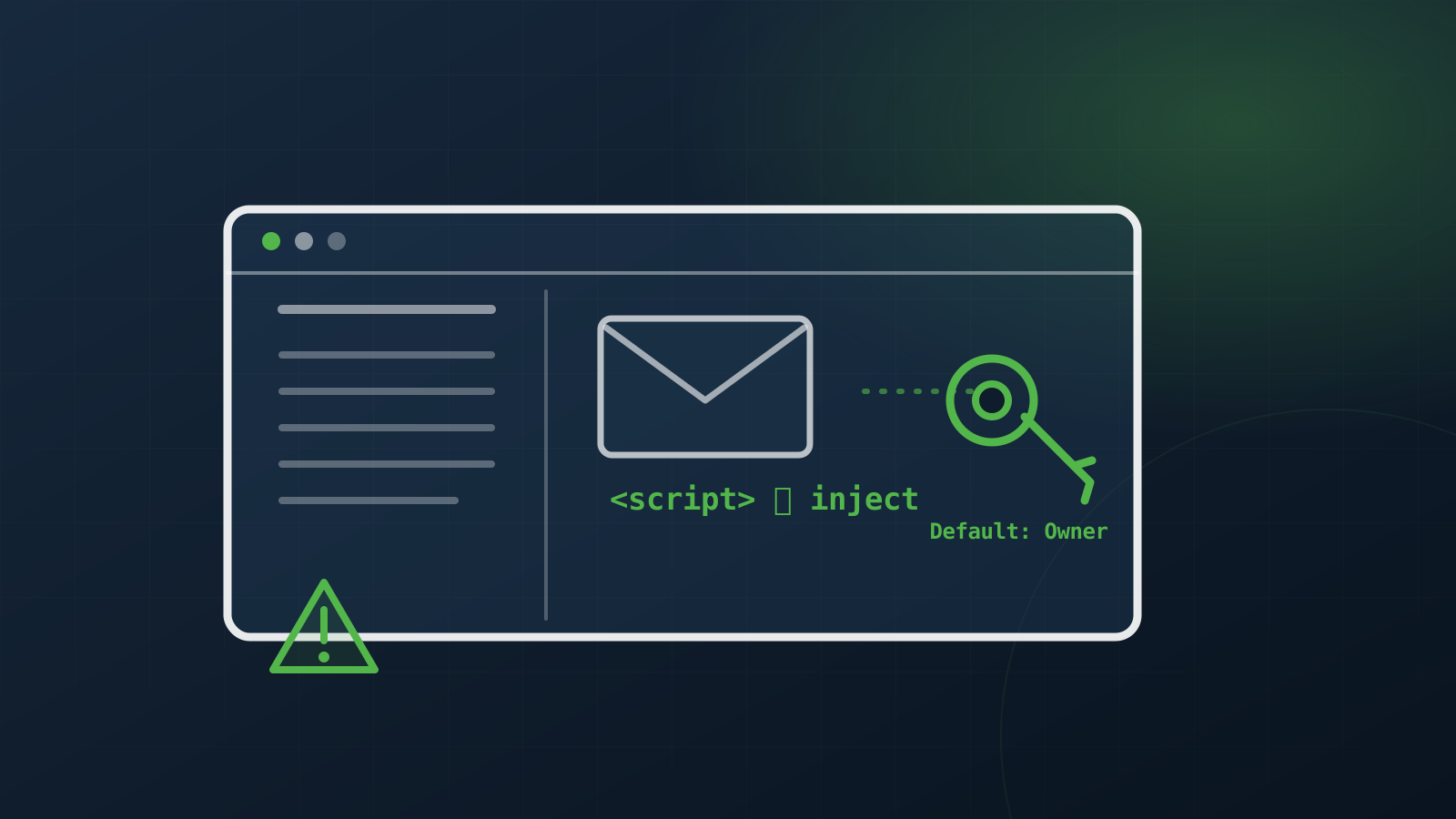
- Persistence: it grants Owner permissions to the “Default” user on all mail folders and steals OAuth tokens — server-side permissions, so a password reset doesn’t help.
- Targets: US and European government entities; telecom, financial, hospitality, aerospace.
- Timeline: attacker infrastructure created March 2026; Microsoft advisory on May 14, 2026.
How it works
The malicious email contains code that exploits the OWA XSS flaw. When the victim opens the message, the code executes in the reading pane, inside the user’s authenticated session. From there, OWAReaper:
- rewrites emails on the server to remove traces of the exploit;
- disables pop-ups and right-click in OWA during execution, to stay unnoticed;
- steals the email address, username, Outlook settings and browser-cached credentials;
- communicates over multiple C2 channels (GitHub commit messages, email parsing, HTTPS with encrypted URI paths).
Why it’s hard to remove
This is the crux. OWAReaper abuses Outlook add-ins with the ReadWriteMailbox permission to steal OAuth tokens, then grants itself Owner permissions on the “Default” user across all mailbox folders. Because these permissions are configured on the server, not the client:
Changing the password or reinstalling workstations does not revoke the attacker’s access.
On top of that, it injects malicious iframes into OWA messages cached in IndexedDB, which execute again on reopening — a second persistence path, this time in the browser.
Why it matters
Email is the “reset key” for almost every other account — whoever reads your mailbox can gradually take over your digital identity. Persistent, silent mailbox access means long-term espionage, and the “half-click” bar dramatically lowers the attacker’s effort: no link click or attachment needed.
What to do now
- Apply Microsoft’s patches for CVE-2026-42897 (May 14, 2026 advisory), as a priority.
- Audit Exchange add-in permissions — look for add-ins with ReadWriteMailbox that you don’t recognize.
- Look for abnormal permissions: the “Default” user with Owner rights on mailbox folders is a major red flag.
- Revoke OAuth tokens and force re-consent; don’t rely on password resets alone.
- Monitor mailbox permission changes — they should raise alerts.
- Check the published indicators of compromise (Proofpoint) — malicious domains and HTML message patterns.
The takeaway
Server-side persistence of this kind isn’t cleaned up by a password reset — you have to revoke the permissions and tokens at the source, on the server. It’s exactly the sort of compromise you only find if you know where to look: mailbox permissions, add-ins, OAuth tokens. A security audit checks these configurations and identity hygiene, while a penetration test confirms where an attacker could catch you. If you suspect a compromise, the right response is an investigation, not just a password change.
Sources
Frequently asked questions
What is the Exchange OWA zero-day (CVE-2026-42897)?
An XSS flaw in Microsoft Exchange Outlook Web Access, caused by improper HTML sanitization of the message body. It is exploited by the Russian group Laundry Bear (TA488 / Void Blizzard) via a "half-click": the victim just opens the email, and the code executes in the reading pane and installs the OWAReaper backdoor.
Why doesn't changing the password help?
Because OWAReaper grants itself server-side permissions: it steals OAuth tokens through add-ins with ReadWriteMailbox and grants Owner rights to the "Default" user across all mailbox folders. Since the permissions are on the server, a password reset or reinstalling workstations doesn't revoke access.
What should I check and do?
Apply Microsoft's patch for CVE-2026-42897 (14 May 2026 advisory); audit Exchange add-ins with ReadWriteMailbox you don't recognize; look for the "Default" user with Owner rights on folders (a major red flag); revoke OAuth tokens and force re-consent; monitor mailbox permission changes and check the published indicators (Proofpoint).
Why is persistent mailbox access dangerous?
Because email is the "reset key" for almost every other account — whoever reads your mailbox can gradually take over your digital identity. Persistent, silent access means long-term espionage, and the "half-click" dramatically lowers the attacker's effort.